
AlphaSynth AI
Forge Desktop — AI-nativní pracovní prostor pro vytváření, správu a spuštění moderních aplikací.
Vytvářejte lokálně s orchestrálními AI pracovními postupy, vizuálním editorem, živým náhledem, verzováním Gitu a nástroji pro spuštění — vše v jednom pracovním prostoru Windows připojeném k vašemu účtu Forge.
Pro funkce AI je vyžadován účet Forge
desktop.hero.downloadsPaused
Doporučeno pro většinu uživatelů
Forge Desktop je v beta verzi. Některé funkce se rychle vyvíjejí. Windows SmartScreen může zobrazit varování, dokud aplikace nezíská reputaci.
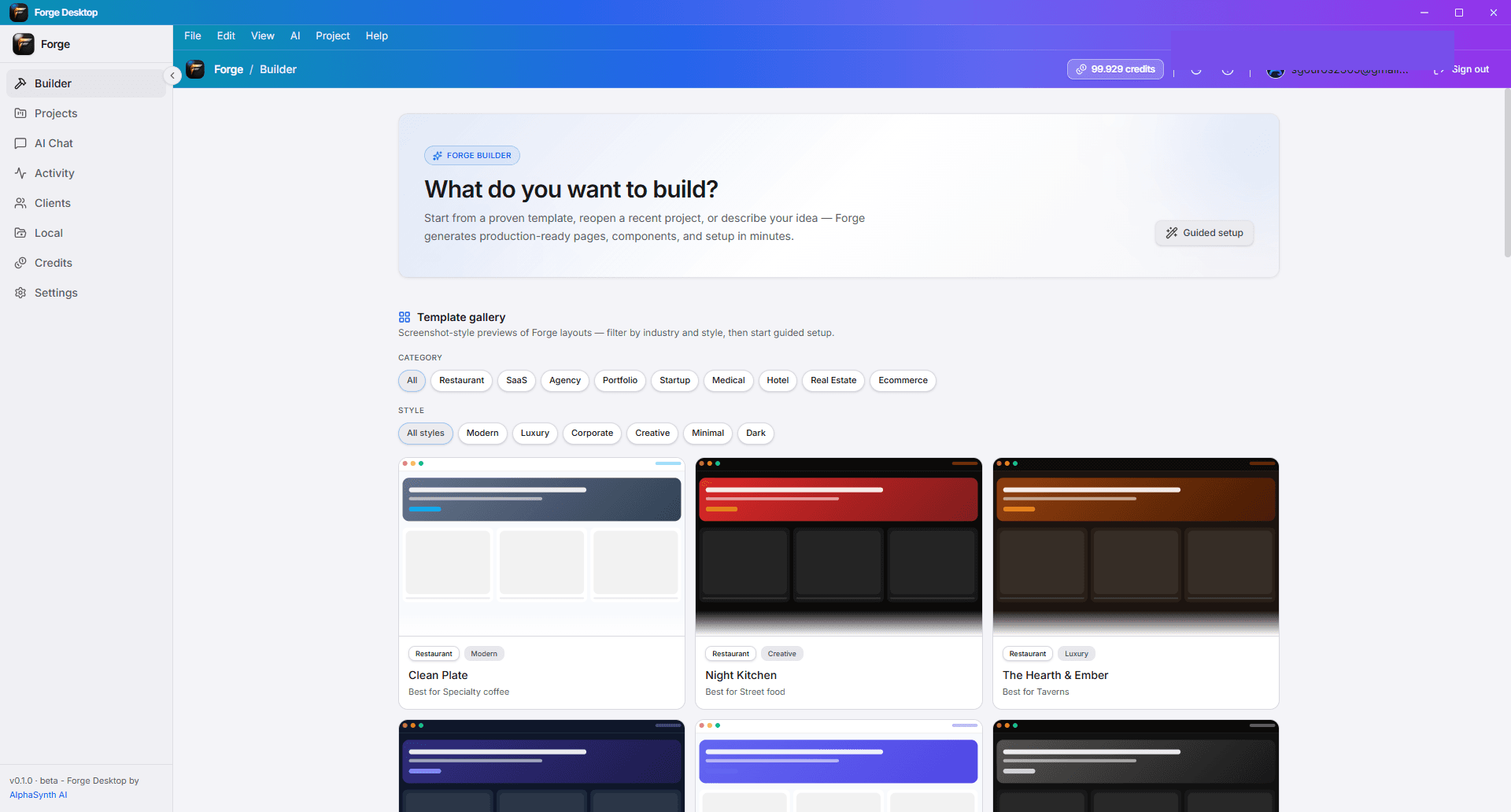
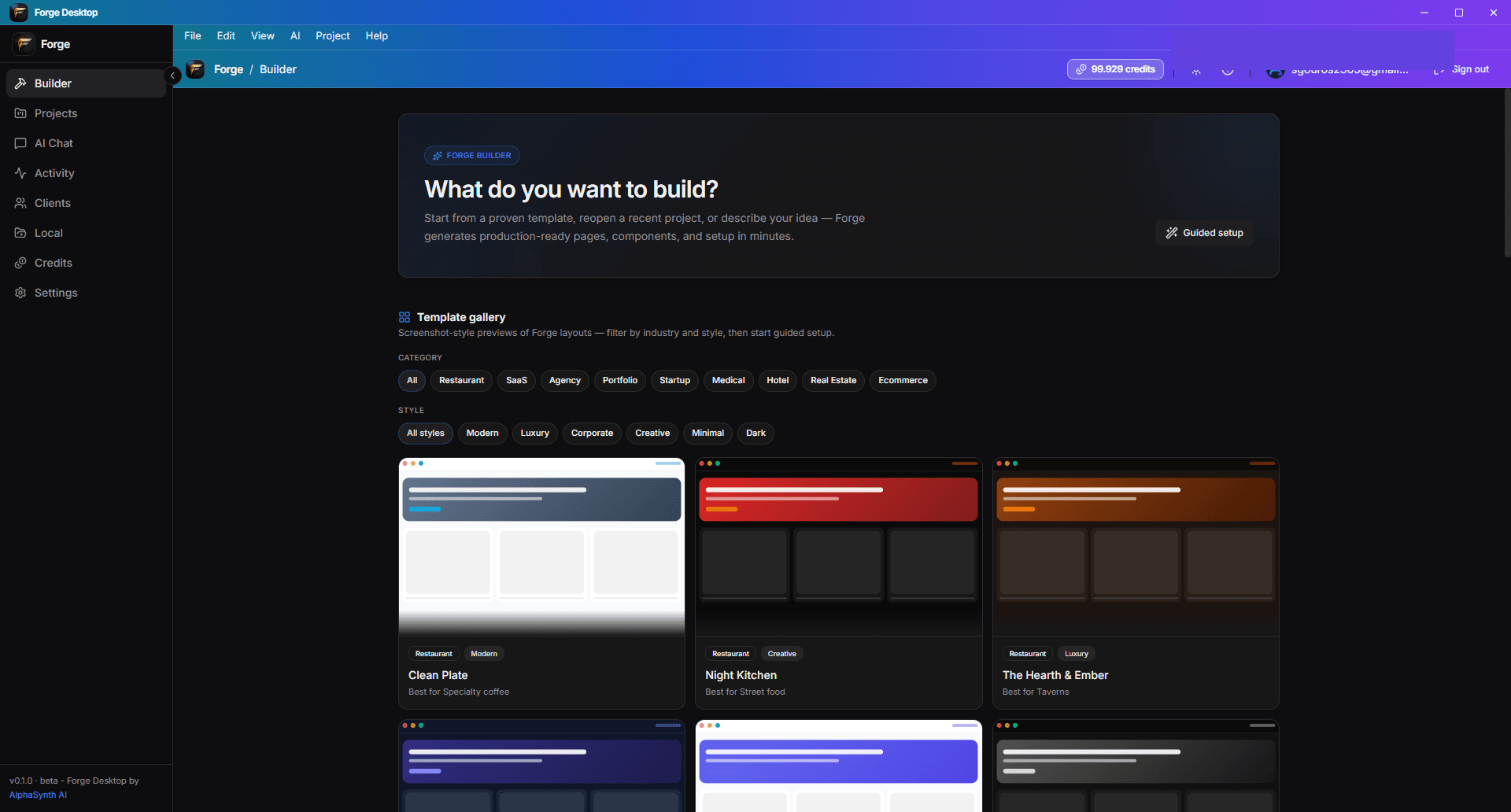
Více než nástroj pro vytváření webových stránek AI.
Forge Desktop je kompletní pracovní prostor pro zakladatele a tvůrce, kteří chtějí rychlost AI, aniž by ztratili kontrolu — od prvního příkazu po kontrolní seznam spuštění.
Podívejte se na pracovní prostor
Prozkoumejte povrchy, které činí Forge Desktop kompletním prostředím pro vývoj a distribuci. Nahraďte zástupné symboly skutečnými snímky obrazovky v public/desktop/.
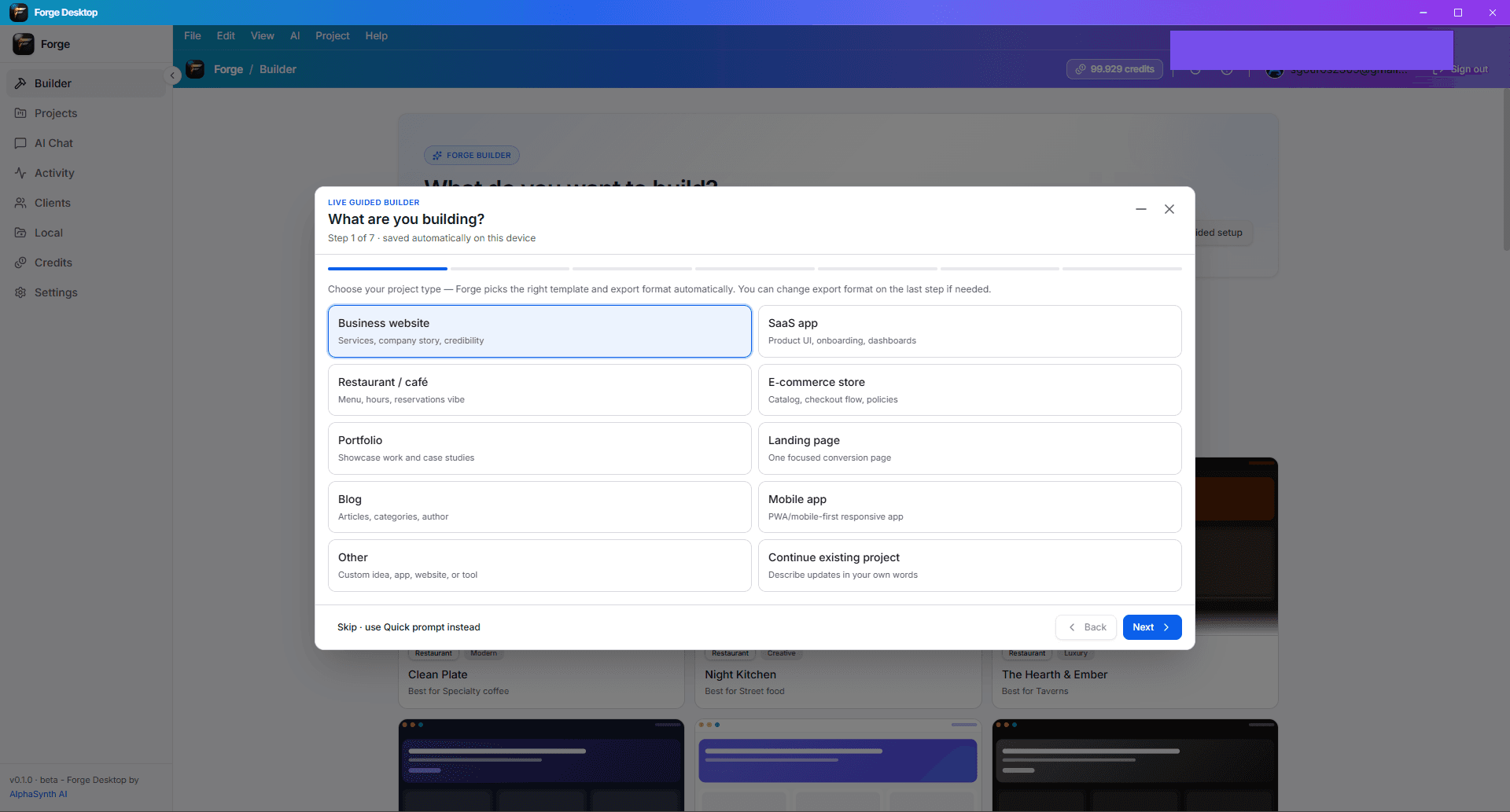
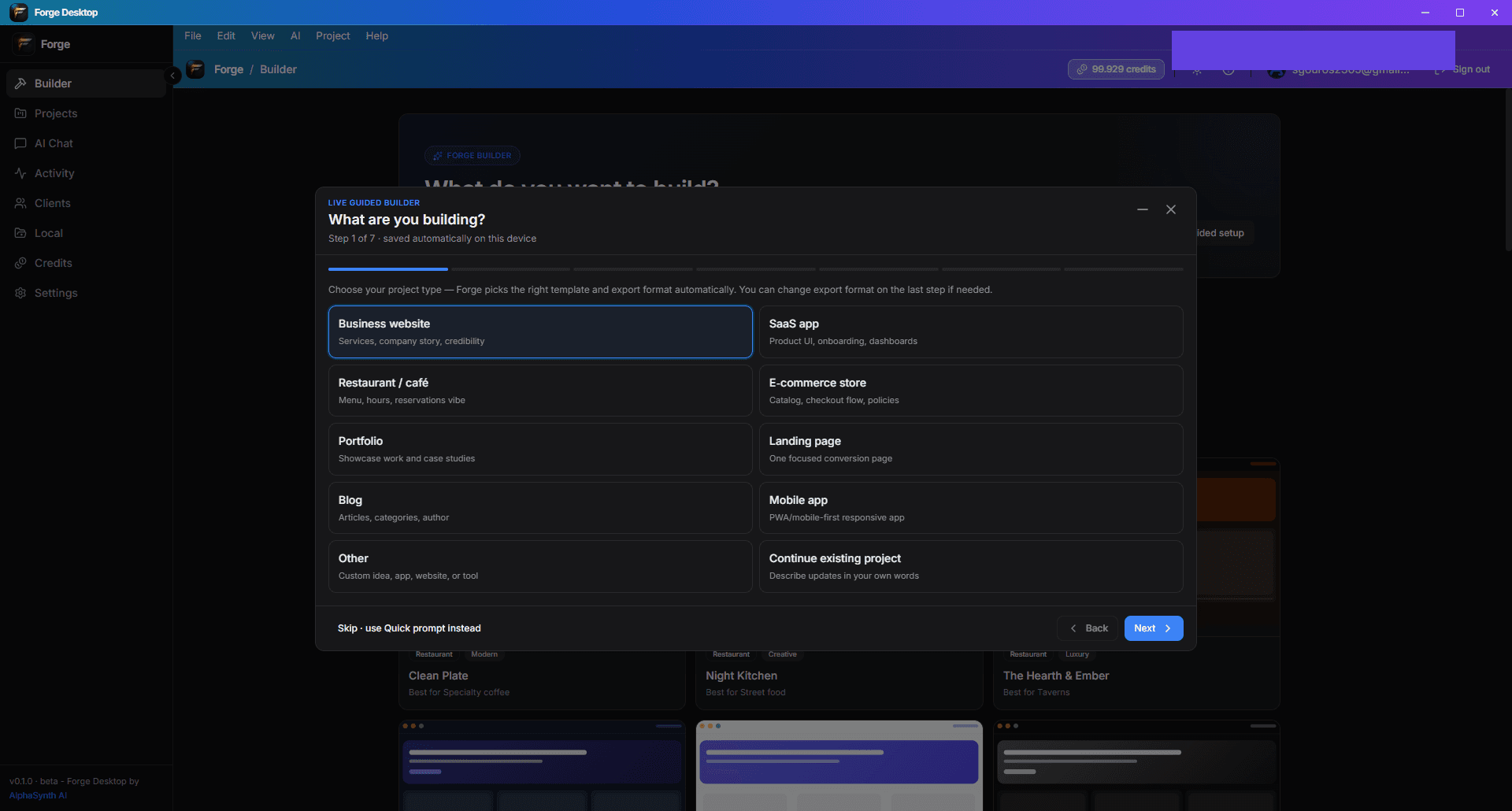
Navrženo pro vytváření, kódování, správu a spuštění
Beta verze Forge Desktop zahrnuje širokou sadu nástrojů — některé oblasti se stále vyvíjejí. Očekávejte rychlé aktualizace během beta verze.
Vytváření
Od vedeného nastavení po vizuální iteraci — vytvářejte rozhraní a toky rychleji.
Kód
Zkušenost s místním IDE s asistencí AI a verzováním založeným na Gitu.
Správa
Udržujte kontext, rozhodnutí a pokrok organizované uvnitř projektu.
Spuštění
Kontroly připravenosti a inteligence nasazení, které vám pomohou odpovědně odeslat.
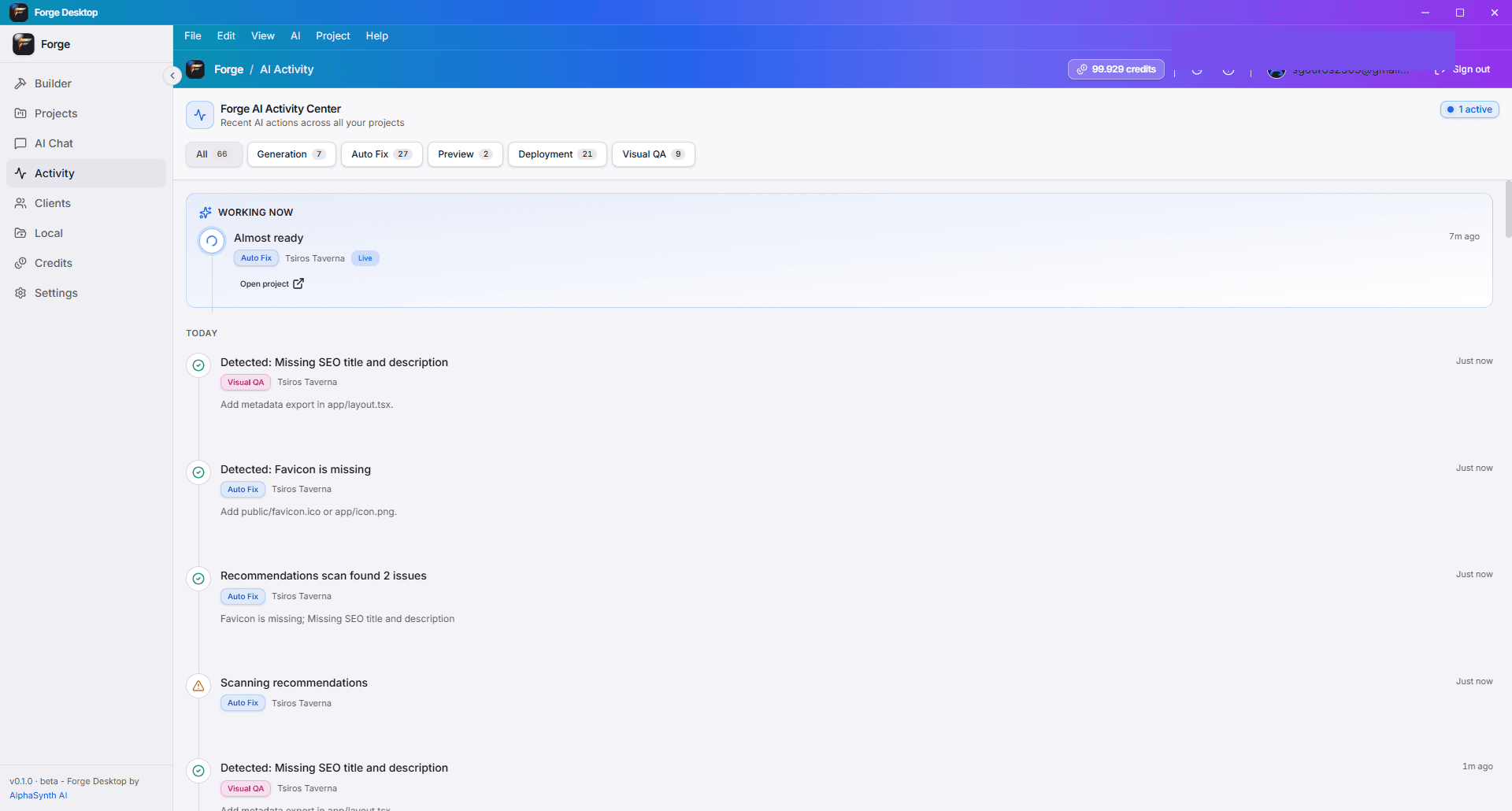
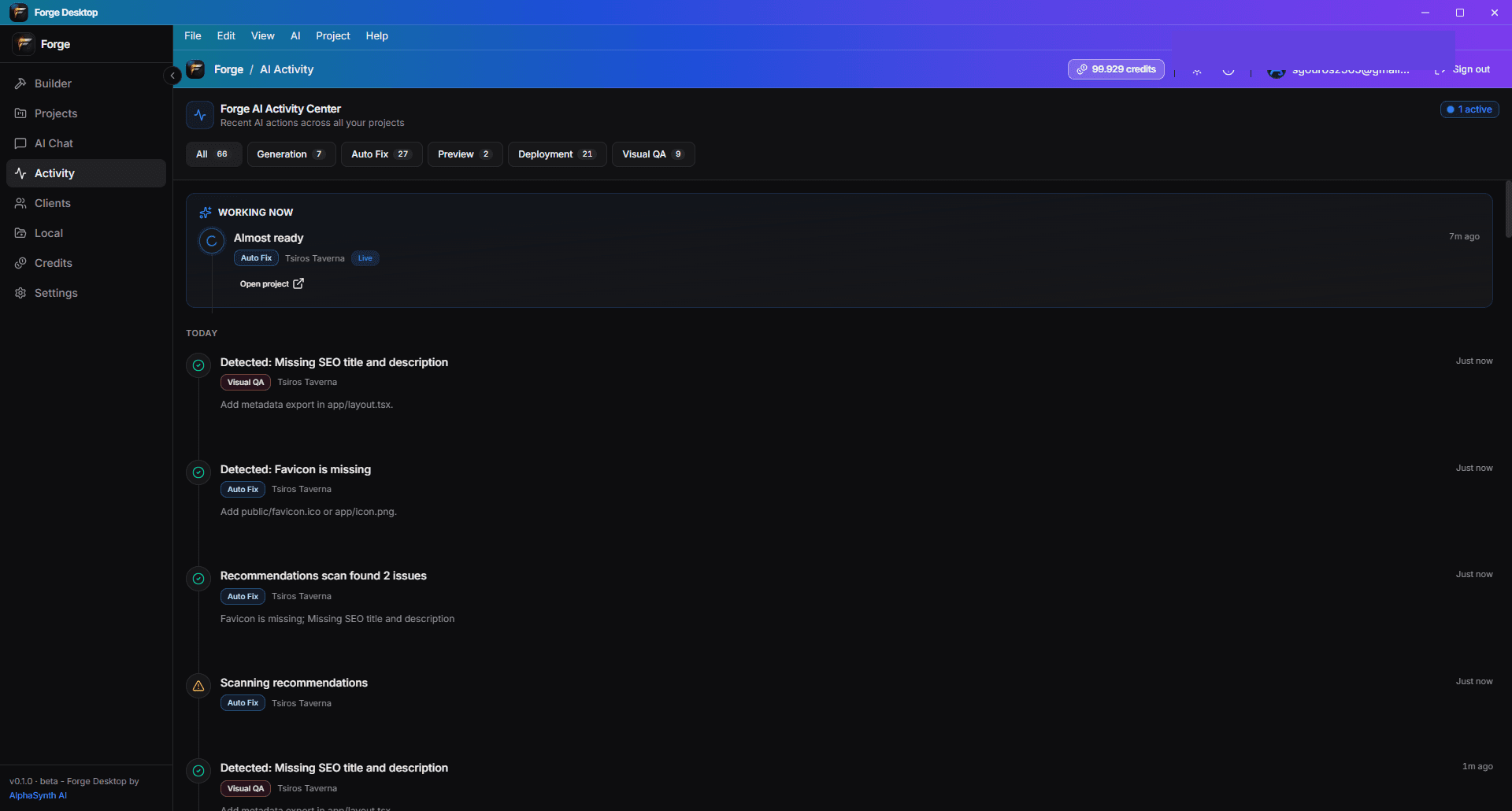
AI, která funguje jako tým.
Forge Desktop používá orchestrální AI pracovní postupy — ne zcela autonomní paralelní agenty. Supervizor řídí plánování, implementaci a revizní kroky, které můžete sledovat v časové ose aktivit.
- Obecný AI Chat pro brainstorming, specifikace a text.
- Role Plánovače a Projektového Agenta pro kontextové úpravy.
- Supervizor Agent plánuje a směruje práci napříč správnými nástroji.
- Vizuální QA a opravy toků pro včasné zachycení problémů UI.
- Časová osa aktivity ukazuje, co AI udělala a kdy.
Jeden účet Forge — web a desktop
Přihlaste se pomocí Google nebo e-mailu. Kredity a plány jsou spravovány na forge.alphasynthai.com a synchronizují se, když se připojíte v desktopové aplikaci.
Získejte Forge Desktop pro Windows
Nainstalujte z GitHub Releases — pro stažení není potřeba účet. Přihlaste se po instalaci, abyste odemkli AI funkce a synchronizovali kredity.
- Stáhněte si nastavení Forge Desktop nebo MSI
- Otevřete instalátor
- Postupujte podle kroků instalace Windows
- Spusťte Forge Desktop
- Přihlaste se pomocí svého účtu Forge
desktop.hero.downloadsPaused
Systémové požadavky
Beta verze Forge Desktop cílí na moderní Windows PC. macOS a Linux jsou na plánu — v této verzi nejsou k dispozici.
- Windows 10 verze 1903 nebo novější, nebo Windows 11 (64-bit)
- Minimálně 8 GB RAM (16 GB doporučeno pro velké projekty)
- 2 GB volného místa na disku pro aplikaci, cache a soubory projektu
- Internet je vyžadován pro přihlášení, generování AI, synchronizaci kreditů a aktualizace
- .NET WebView2 runtime (installed automatically if missing)
- Node.js doporučeno pro nástroje v generovaných projektech (liší se podle stacku)
- Microsoft Edge WebView2 runtime (nainstalováno při nastavení, pokud chybí)
Běžné otázky
Rychlé odpovědi na otázky ohledně stahování, účtů, očekávání beta verze a politik.
Je Forge Desktop zdarma?
Ano — aplikace je zdarma k instalaci během beta verze. Funkce AI čerpají kredity Forge; podívejte se na ceny pro bezplatné, Builder, Pro a Studio limity.
Potřebuji účet Forge?
Potřebujete účet Forge pro používání funkcí AI, synchronizaci kreditů a připojení fakturace. Stahování a instalace nevyžadují účet.
Jak fungují kredity?
Desktop AI čerpá ze stejného zůstatku kreditů jako web. Kupte plány nebo balíčky na webu; zůstatky se aktualizují, když se přihlásíte na desktopu.
Funguje to offline?
Můžete procházet místní soubory a upravovat offline. Přihlášení, generování AI a synchronizace kreditů vyžadují internet.
Kde jsou projekty uloženy?
Projekty žijí ve složkách, které si vyberete na svém počítači. Forge nenahrazuje vaše vlastnictví místních souborů — zálohujte a používejte Git, jak byste to dělali v jakémkoli IDE.
Mohu používat GitHub?
Ano. Připojte repozitáře, potvrďte a publikujte z Forge Desktop. Autentizace GitHubu následuje standardní OAuth/zařízení postupy.
Mohu nahrávat snímky obrazovky a obrázky?
Ano — řízený tvůrce a mediální toky podporují nahrávání obrázků, kde je funkce povolena. Soubory jsou validovány před nahráním.
Podporuje přihlášení pomocí Google?
Ano. Přihlaste se pomocí Google nebo e-mailu/hesla — stejné možnosti jako na forge.alphasynthai.com.
Je k dispozici Mac nebo Linux?
Ne v této beta verzi. Pouze Windows 10/11 x64; další platformy jsou plánovány.
Jak mohu hlásit chyby?
Použijte zpětnou vazbu v aplikaci, když je k dispozici, nebo nás kontaktujte prostřednictvím kontaktní stránky na webu. Uveďte verzi aplikace z části O nebo z titulního řádku.
Proč SmartScreen zobrazuje varování?
Nové a beta aplikace často na začátku postrádají reputaci Windows. Ověřte stažení z našeho GitHub vydání, poté použijte „Více informací“ → „Spustit přesto“, pokud důvěřujete této verzi.
Kde jsou právní a zásady ochrany soukromí?
Podmínky a ochrana soukromí jsou na tomto webu. Forge Desktop dodržuje stejné politiky; odkazy jsou v sekci Důvěra níže a v aplikaci, kde je to relevantní.
Politiky a podpora
Forge Desktop dodržuje stejné podmínky, zásady ochrany soukromí a fakturační politiky jako web Forge.
Připraveni začít vytvářet na svém počítači?
Stáhněte si Forge Desktop pro Windows, přihlaste se pomocí svého účtu Forge a začněte s Řízeným tvůrcem nebo Rychlým příkazem.
desktop.hero.downloadsPaused