
AlphaSynth AI
Forge Desktop — работно пространство с изкуствен интелект за изграждане, управление и стартиране на съвременни приложения.
Създавайте локално с организирани работни потоци на изкуствения интелект, визуално редактиране, жива предварителна визуализация, версия на Git и инструменти за стартиране — всичко в едно работно пространство за Windows, свързано с вашия Forge акаунт.
Изисква се акаунт във Forge за AI функции
desktop.hero.downloadsPaused
Препоръчително за повечето потребители
Forge Desktop е в бета. Някои функции се развиват бързо. Windows SmartScreen може да покаже предупреждение, докато приложението не придобие репутация.
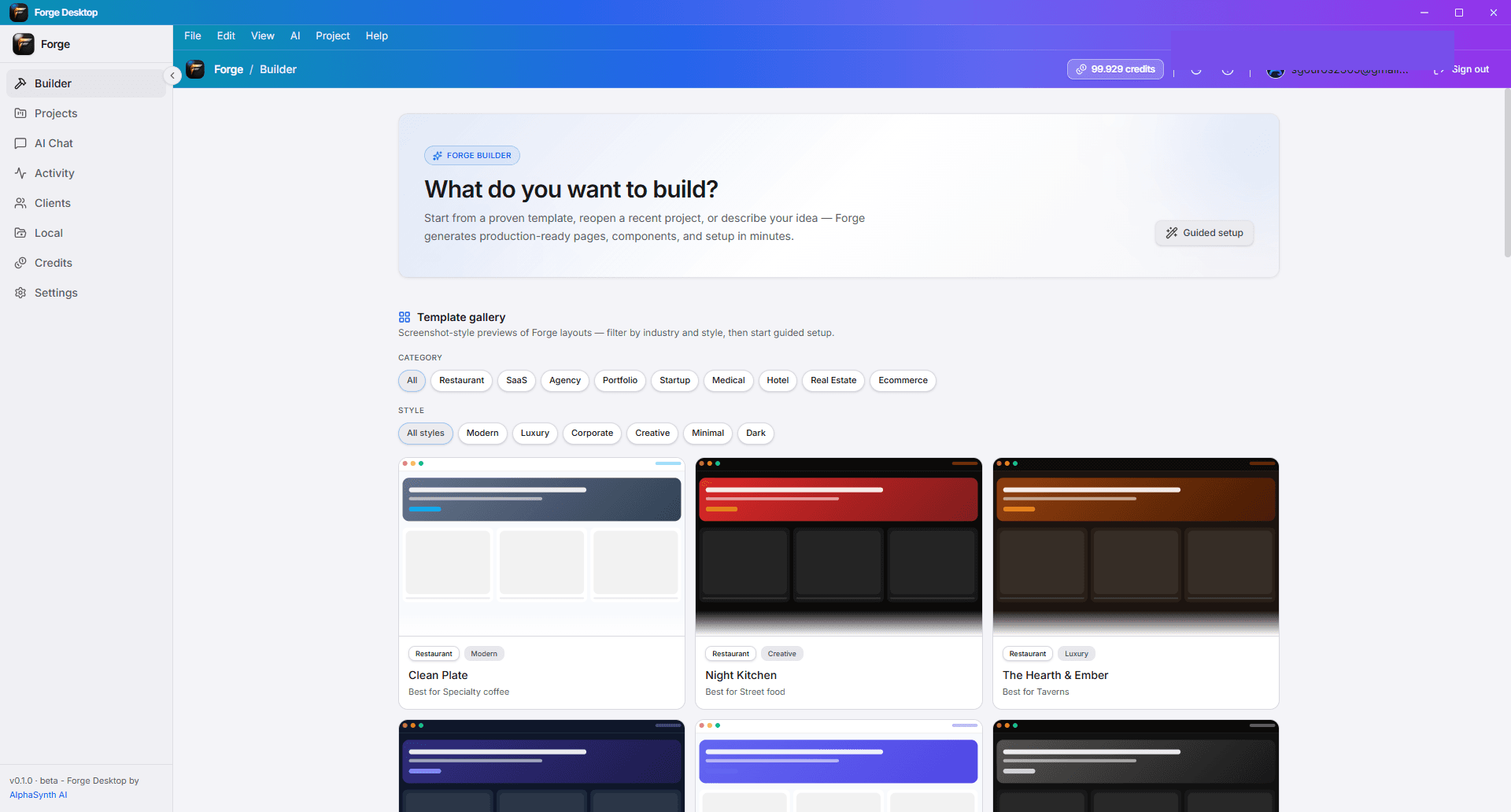
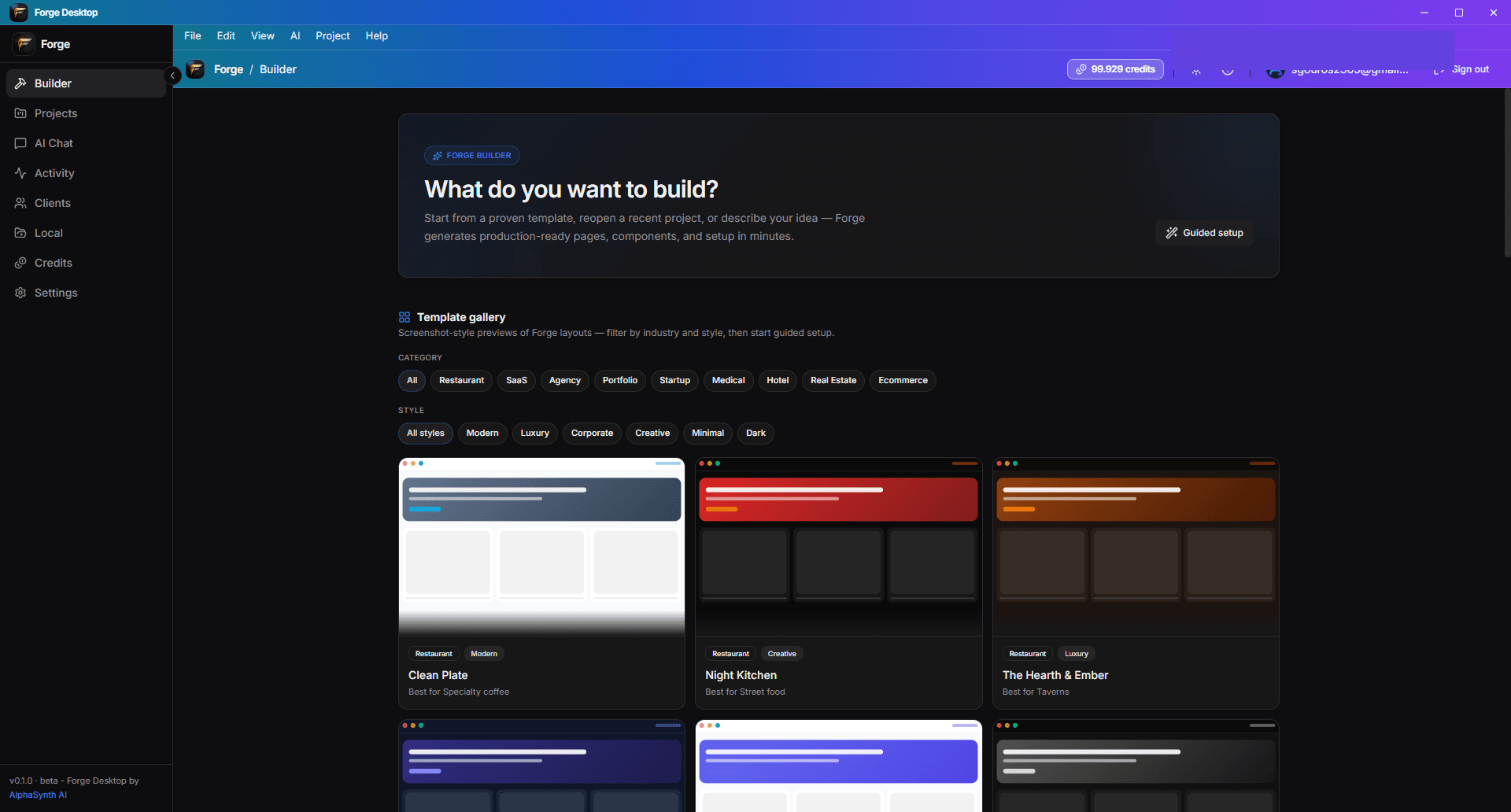
Повече от AI уебсайт строител.
Forge Desktop е пълно работно пространство за основатели и строители, които искат AI скорост без да губят контрол — от първия подтик до списъка за стартиране.
Вижте работното пространство
Изследвайте повърхностите, които правят Forge Desktop пълна среда за изграждане и пускане. Заменете запълнителите с реални екранни снимки в public/desktop/.
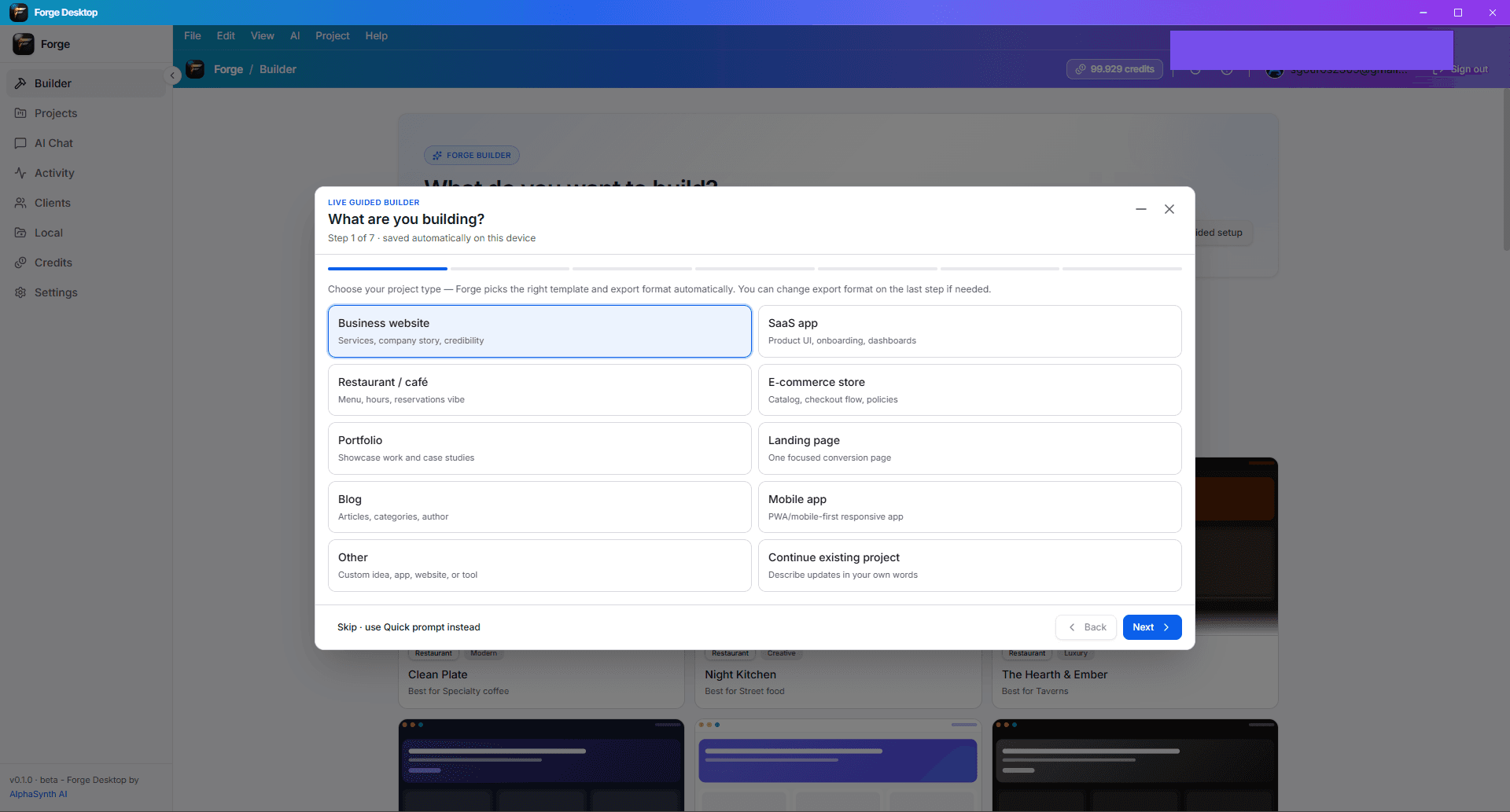
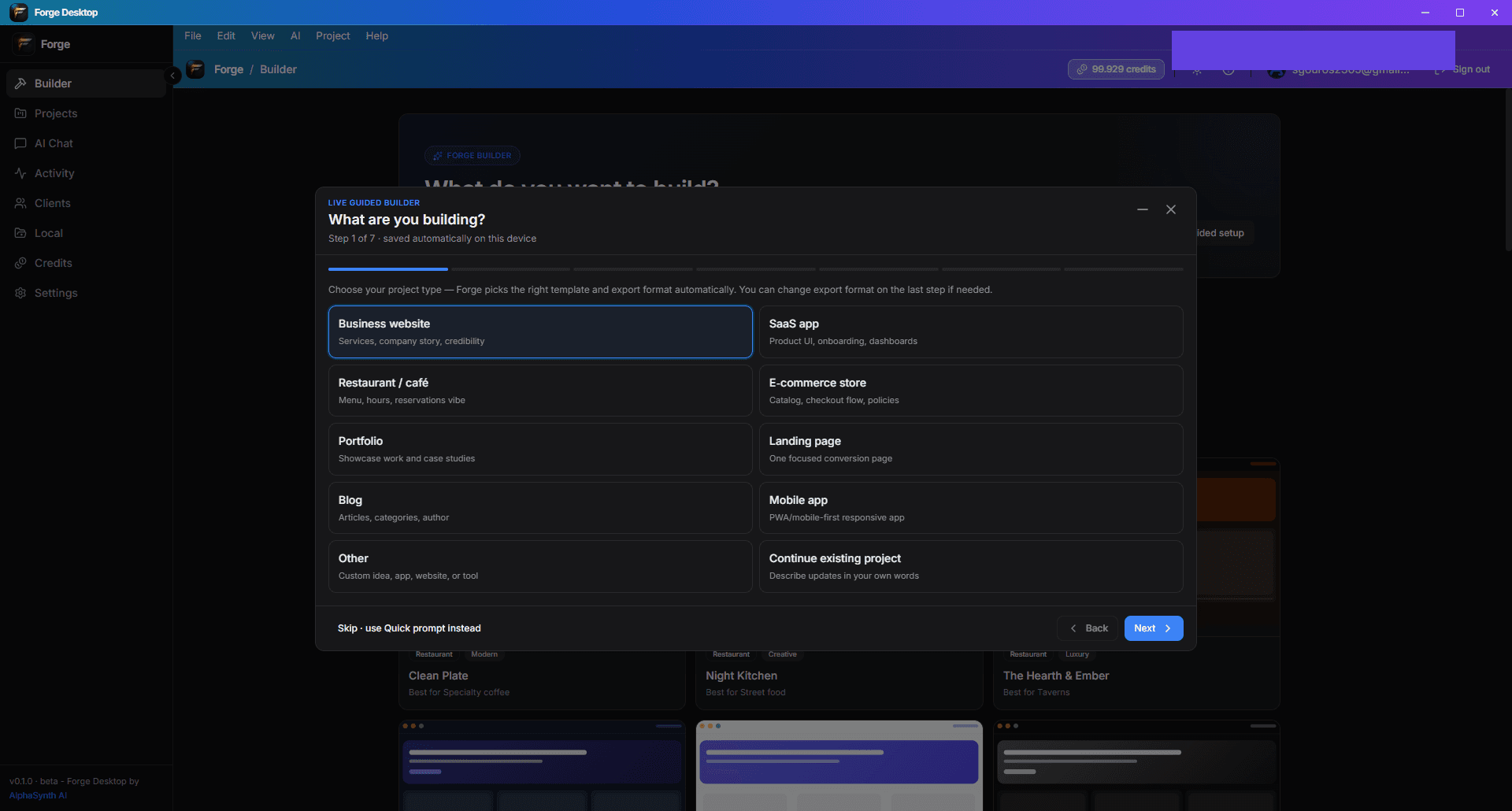
Създадено за изграждане, кодиране, управление и стартиране
Бета версията на Forge Desktop включва широк набор от инструменти — някои области все още се развиват. Очаквайте бързи актуализации по време на бета.
Изграждане
От направлявана настройка до визуална итерация — създавайте интерфейси и потоци по-бързо.
Код
Локално IDE изживяване с AI помощ и Git-базирано версиониране.
Управление
Дръжте контекста, решенията и напредъка организирани в проекта.
Стартиране
Проверки за готовност и интелигентност за разгръщане, за да ви помогнат да пуснете отговорно.
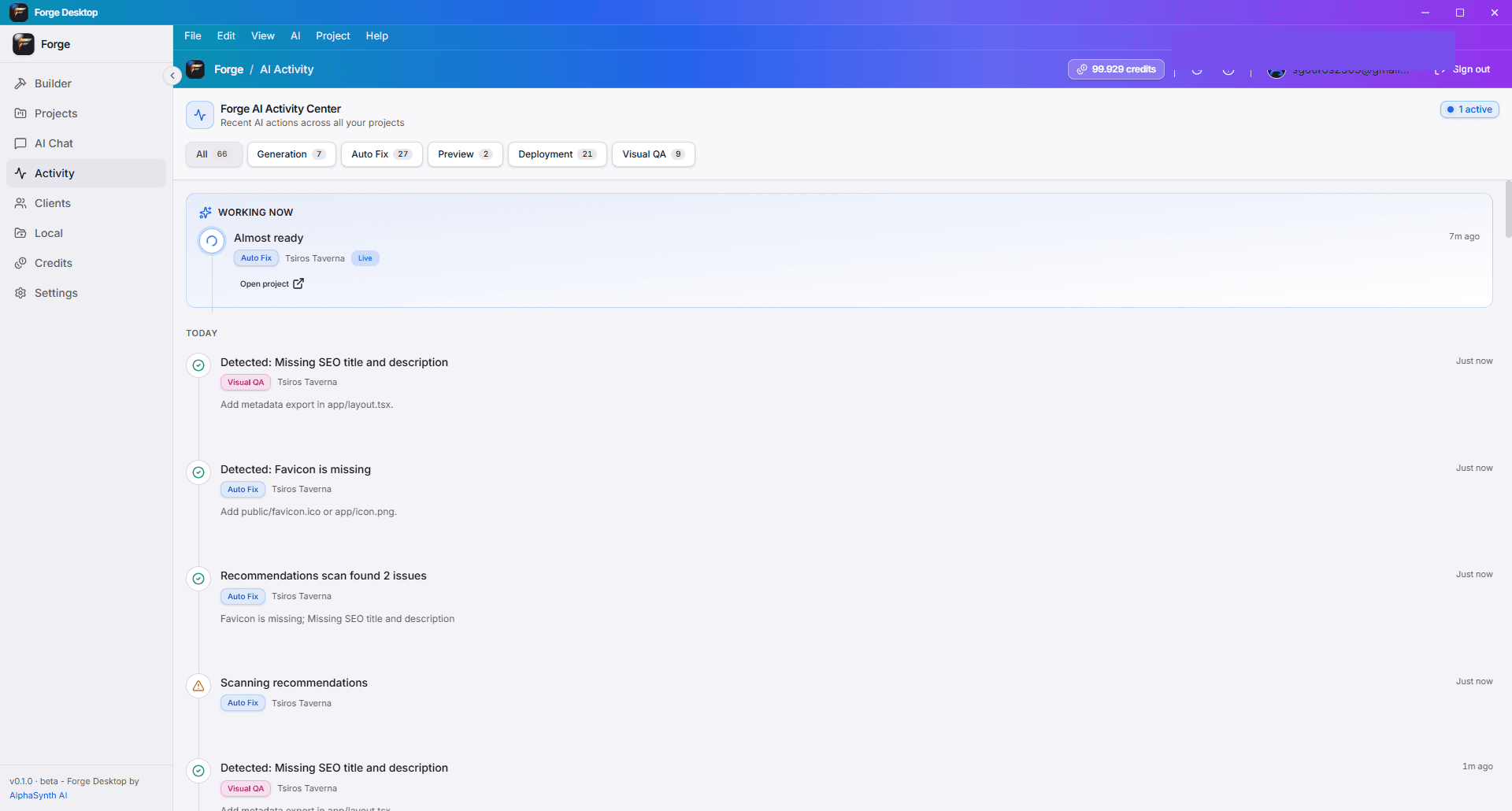
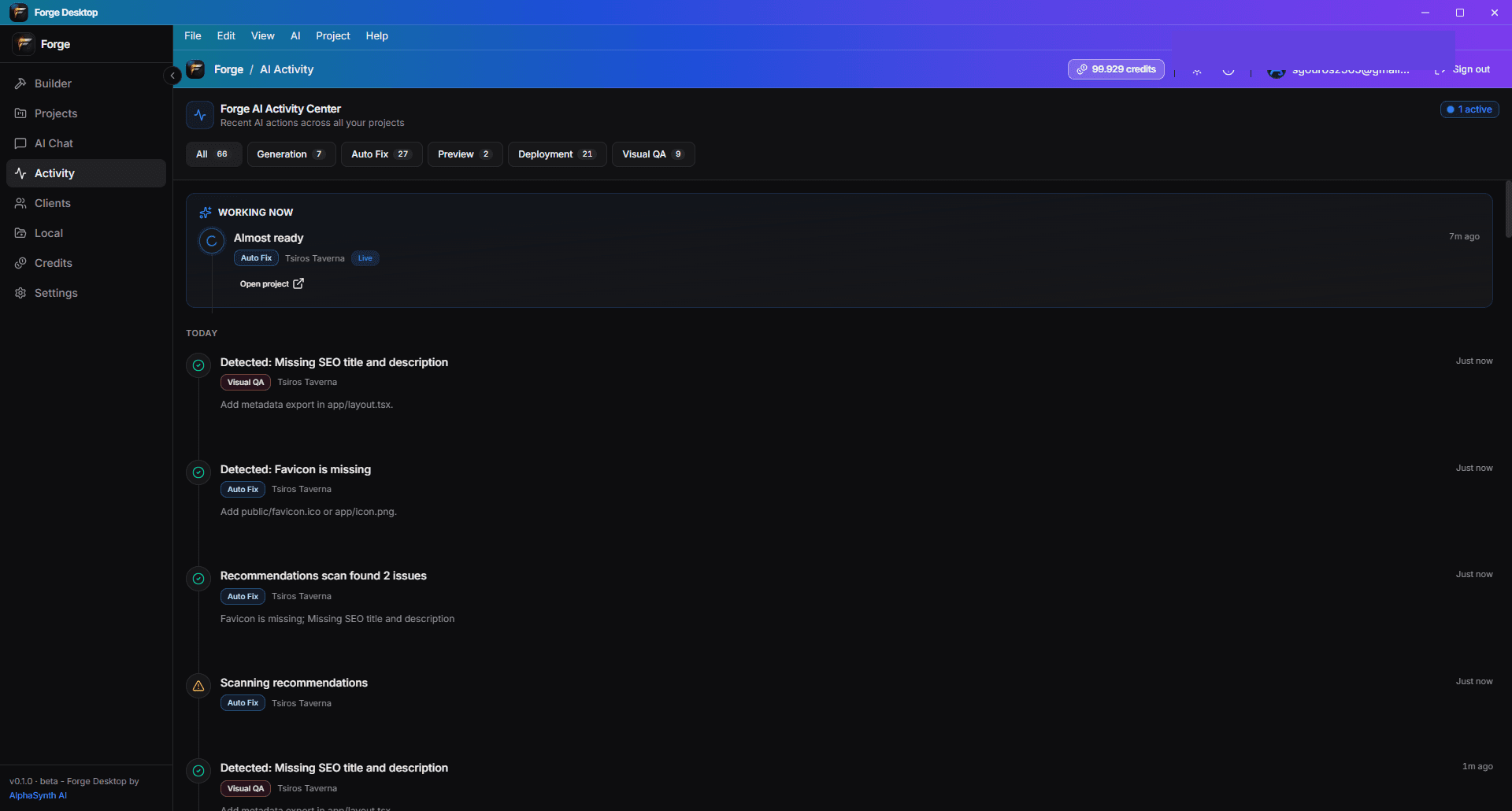
AI, който работи като екип.
Forge Desktop използва организирани работни потоци на изкуствения интелект — не напълно автономни паралелни агенти. Супервизорът насочва стъпките за планиране, изпълнение и преглед, които можете да следвате в Хронологията на дейностите.
- Общ AI Чат за мозъчна атака, спецификации и копия.
- Роли на планировчик и агент на проекта за контекстуални редакции.
- Агент надзорник планира и маршрутизира работа между правилните инструменти.
- Визуален QA и потоци за поправка, за да уловите проблеми с UI рано.
- Хронология на активността показва какво е направил AI и кога.
Един Forge акаунт — уеб и десктоп
Влезте с Google или имейл. Кредитите и плановете се управляват на forge.alphasynthai.com и се синхронизират, когато се свържете в десктоп приложението.
Вземете Forge Desktop за Windows
Инсталирайте от GitHub Releases — не е необходим акаунт за изтегляне. Влезте след инсталацията, за да отключите AI функции и синхронизация на кредити.
- Изтеглете инсталацията на Forge Desktop или MSI
- Отворете инсталатора
- Следвайте стъпките за инсталация на Windows
- Стартирайте Forge Desktop
- Влезте с вашия акаунт във Forge
desktop.hero.downloadsPaused
Системни изисквания
Бета версията на Forge Desktop е насочена към съвременни Windows PC. macOS и Linux са в плана — не са налични в тази версия.
- Windows 10 версия 1903 или по-късно, или Windows 11 (64-битова)
- Минимум 8 GB RAM (препоръчително 16 GB за големи проекти)
- 2 GB свободно дисково пространство за приложението, кешовете и файловете на проекта
- Интернет е необходим за вход, генериране на AI, синхронизация на кредити и актуализации
- Git е препоръчителен за версиониране и публикуване в GitHub
- Node.js е препоръчителен за инструменти в генерираните проекти (варира в зависимост от стека)
- Microsoft Edge WebView2 runtime (инсталира се от настройката, ако липсва)
Общи въпроси
Бързи отговори на въпроси относно изтегляния, акаунти, очаквания от бета версията и политики.
Безплатен ли е Forge Desktop?
Да — приложението е безплатно за инсталиране по време на бета версията. Функциите на AI изразходват кредити на Forge; вижте Цените за безплатни, Builder, Pro и Studio ограничения.
Нужен ли ми е Forge акаунт?
Нужен ви е Forge акаунт, за да използвате функциите на AI, да синхронизирате кредити и да свържете фактурирането. Изтеглянето и инсталирането не изискват акаунт.
Как работят кредитите?
Десктоп AI използва същия баланс от кредити като уебсайта. Закупете планове или пакети на уеб; балансите се обновяват, когато влезете в десктоп приложението.
Работи ли офлайн?
Можете да преглеждате локални файлове и да редактирате офлайн. Входът, генерирането на AI и синхронизацията на кредити изискват интернет.
Къде се съхраняват проектите?
Проектите се съхраняват в папки, които изберете на вашата машина. Forge не заменя вашето локално притежание на файлове — архивирайте и използвайте Git, както бихте направили в всяка IDE.
Мога ли да използвам GitHub?
Да. Свържете хранилища, правете комити и публикувайте от Forge Desktop. Аутентификацията в GitHub следва стандартните OAuth/устройствени потоци.
Мога ли да качвам екранни снимки и изображения?
Да — ръководеният строител и медийните потоци поддържат качване на изображения, където функцията е активирана. Файловете се валидират преди качване.
Поддържа ли вход с Google?
Да. Влезте с Google или имейл/парола — същите опции като на forge.alphasynthai.com.
Има ли Mac или Linux?
Не в тази бета. Само Windows 10/11 x64; други платформи са планирани.
Как да докладвам за бъгове?
Използвайте обратна връзка в приложението, когато е налична, или се свържете с нас чрез страницата за контакт на уебсайта. Включете версията на приложението си от 'За' или заглавната лента.
Защо SmartScreen показва предупреждение?
Новите и бета приложения често нямат репутация в Windows в началото. Проверете изтеглянето от нашето издание в GitHub, след това използвайте 'Повече информация' → 'Стартирайте все пак', ако се доверявате на версията.
Къде са правните и политиките за поверителност?
Условията и Поверителността са на този уебсайт. Forge Desktop следва същите политики; линковете са в секцията за доверие по-долу и в приложението, където е приложимо.
Политики и поддръжка
Forge Desktop следва същите условия, политика за поверителност и фактуриране като уебсайта на Forge.
Готови ли сте да изграждате на вашата машина?
Изтеглете Forge Desktop за Windows, влезте с вашия Forge акаунт и започнете с Ръководен строител или Бърз подтик.
desktop.hero.downloadsPaused